Make something ridiculous.
Create contraptions. Mekanism machines. Turn your island into the place everyone wishes they’d picked.
BUILD / AUTOMATE / EXPLOREThree islands. One ocean.
Build something worth defending.
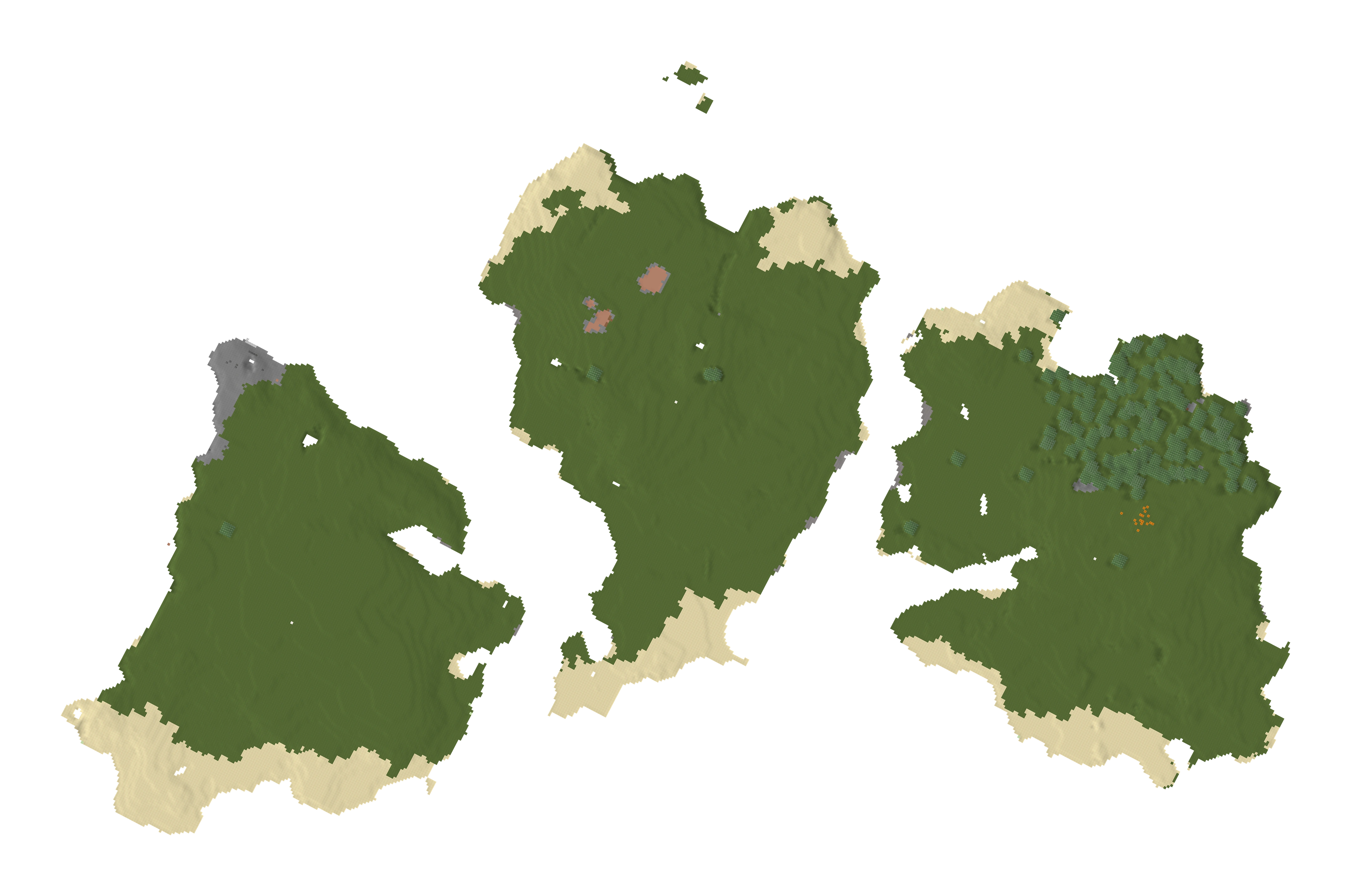
 RED
RED GREEN
GREEN BLUE
BLUEChoose a kingdom when you arrive. Take five minutes to look around, or press J when you know where you belong. After that, your island is your home.
Build with your residents, trade with your allies, and decide who leads. Every kingdom gets its own territory, home spawn, and a say in what happens next.
Find your island in-game ↗Factories, friendships, questionable diplomacy.
The world is shared. The decisions are yours.
Create contraptions. Mekanism machines. Turn your island into the place everyone wishes they’d picked.
BUILD / AUTOMATE / EXPLOREProximity voice chat—talk to players nearby. Trade items, make alliances, and visit other kingdoms. Allied visitors can explore without hurting their hosts.
TRADE / VISIT / ALLYVote for your king, fund a raid, or team up with another kingdom. Bring a plan. Preferably a good one.
VOTE / PLAN / RAIDYour kingdom, map, and social menu. Everything starts here.
 ONE LAUNCHER. YOUR WHOLE PACK.
HELLHOUSE puts the mods, shaders, and server setup in one place. Already have Prism? The launcher can use it.
Keep the launcher wherever you like.
Let it check your files and put the pack in order.
Sign into your own Minecraft account in Prism if asked.
Windows 10 / 11 · Minecraft Java account required.
The launcher checks for its own updates when opened.
No—the launcher handles that for you. You can also install the mods manually; instructions are in my Discord.
The launcher checks for a newer version on opening. You can also use Check for updates at the top. After updating, close Minecraft and use Repair / Download to bring your game files up to date.
Yes. Your first visit has a five-minute tour. Use M to return to the island view and try another, or J to join the kingdom you’re visiting immediately. Staying until the timer ends joins that kingdom.
Join my Discord server for setup help, updates, and the people you’ll be playing with.